Voxily vs AuthoredUp

Reply drafts or LinkedIn publishing?

Voxily drafts replies in the comment box on LinkedIn, X and Reddit. AuthoredUp focuses on LinkedIn posts, including formatting, previews, scheduling and analytics. Choose Voxily for reply assistance; choose AuthoredUp for managing a LinkedIn publishing workflow.

Free plan · No credit card · Desktop Chrome · Sign-in required

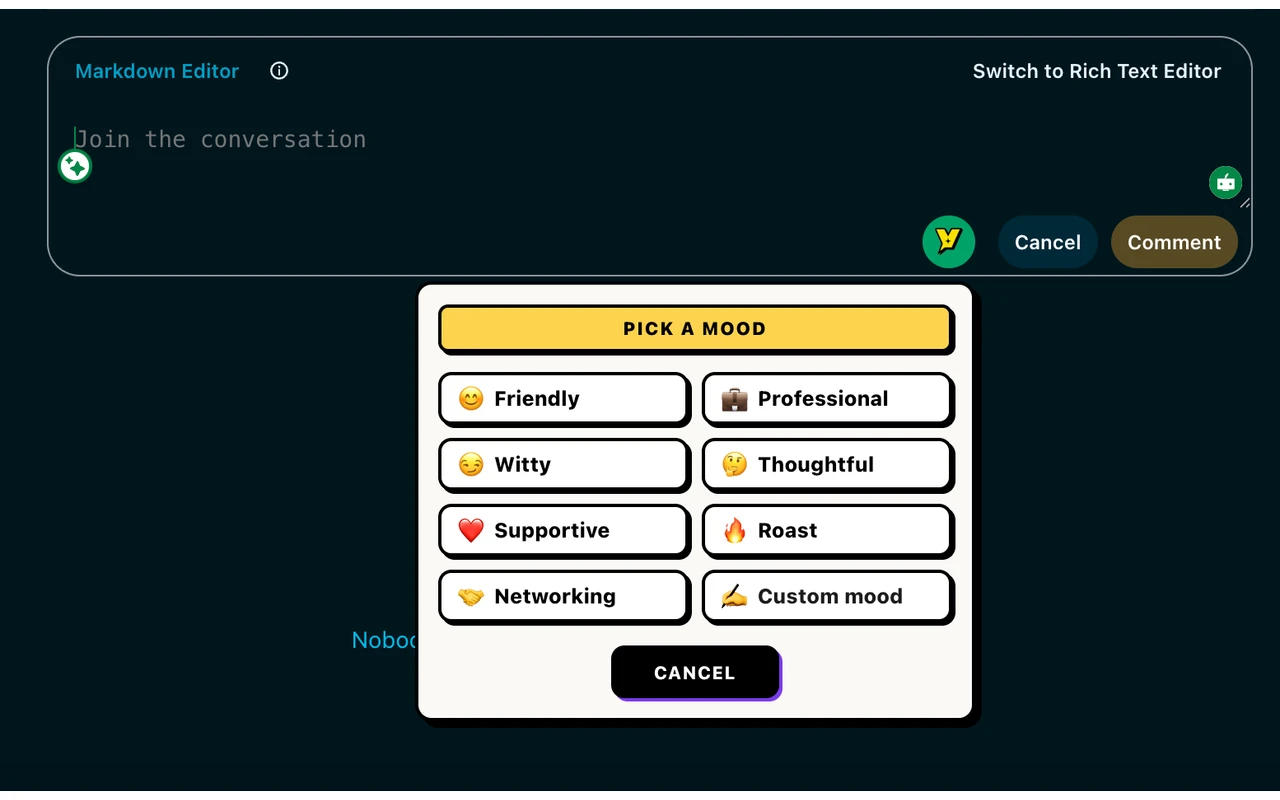
Voxily mood picker below a social comment box Human-reviewed drafting inside the social composer. No auto-posting.

By Shuvo Anirban Roy, Voxily founder · Last verified:

Written by the maker of Voxily. Competitor facts are linked below; this is not an independent review.

Compare

Which workflow fits you?

AuthoredUp here means authoredup.com and its LinkedIn content tool. This comparison uses its official pricing and help pages checked October 4, 2026. We have not tested an AuthoredUp account or its Coauthor beta. Beta access and credit quantities are unverified. AuthoredUp is a trademark of its owner; Voxily is not affiliated with AuthoredUp.

Voxily and AuthoredUp: workflow and plan comparison
CriterionVoxilyAuthoredUp
Main workflowGenerate a reply from visible conversation context, insert it into the native comment box, then edit and post yourself.Write, format and preview LinkedIn posts, save drafts and snippets, schedule posts and review their analytics.
PlatformsReply drafting on LinkedIn, X and Reddit.LinkedIn. The sources below do not list X or Reddit support.
Voice and AISaved personas, your writing examples, eight standard moods and saved knowledge. Pro adds Custom mood and Brand Mode.Its pricing page lists Coauthor, an AI writing assistant using your posts as voice input, in closed beta. Plans include credits; extra credits are a paid add-on. The quantity and general availability are not stated there.
Free access10 replies per day, one persona and five knowledge entries. Sign-in required; no credit card.The help page describes a 14-day trial, with account creation, email verification, a Chrome extension and a connected LinkedIn profile. No ongoing free subscription is listed on the pricing page.
Individual pricingPro: $12.99/month or $120/year. Optional three reply variations when enabled, plus higher allowances.One connected profile: $19.95/month, or $199.50/year (displayed as $16.63/month). Unlimited drafts and snippets, editor and preview access are included.
Teams and company pagesPersonal drafting; no shared team calendar or organization analytics.Business: $14.95 per connected profile/month, minimum three ($44.85/month). Annual: $149.50 per profile/year, minimum three ($448.50/year). Company pages managed by those profiles have no extra charge.
Publishing and reportingYou click the platform posting button. Voxily does not include scheduled publishing or social performance analytics.Post scheduling, a content calendar and post/profile analytics. Its pricing page says scheduling runs through the extension; Business adds collaboration and team analytics.

Sources: AuthoredUp pricing, feature table and Coauthor beta noticeAuthoredUp help: Individual and Business plansAuthoredUp help: starting a 14-day trialVoxily Free and Pro plans

Free or Pro

Start free. Upgrade when you need more.

Both plans include the eight standard moods, core drafting, history, and ratings.

Voxily plan differences
FeatureFreePro
Replies10 per dayHigher usage allowances
Personas / knowledge entries1 persona / 5 entriesUnlimited personas and entries
Post generations3 per dayHigher usage allowances
Chat requests / rewrites10 each per dayHigher usage allowances
Voice or import analyses3 per dayHigher usage allowances
Conversation length3 user messages per chatNo three-message limit
Fix My ReplyIncluded; uses reply allowanceIncluded; uses reply allowance
Three reply variations, Custom Mood, Brand Mode, DM draftsLocked; opens pricingIncluded; variations optional
Use case

Why Voxily fits this workflow.

Here's how Voxily handles this workflow, and what you can check yourself in the extension.

Choose by the work you need help with

AuthoredUp suits founders whose main job is preparing and managing LinkedIn posts. Voxily suits founders who want a draft for a reply they have already chosen to write.

  • Choose AuthoredUp for post formatting, previews, a content calendar, scheduling and analytics, or for a team managing several LinkedIn profiles.
  • Choose Voxily for reply drafting across LinkedIn, X and Reddit, with editing and posting under your control. It also drafts posts, but it does not replace a publishing calendar.
  • You can keep a publishing tool and use Voxily for conversations. There is no requirement to migrate your post library to test a Free reply.

AI writing access needs a closer check

AuthoredUp now lists its Coauthor writing assistant in closed beta. Confirm access and credit limits with AuthoredUp before buying for that feature. This page compares the stated workflow, not the quality of outputs from an account we have not used.

Review any draft before posting

Voxily can miss context or suggest a claim you did not supply. Read the conversation again, remove unsupported experience or results, and edit the inserted draft in the native comment box. A saved persona is a writing input, not a guarantee of accuracy.

Trying both without moving your content

Start with one Voxily persona and one conversation you can contribute to. Keep AuthoredUp drafts, analytics and company-page workflows where they are; Voxily has no automatic AuthoredUp import. Copy your own writing examples into a persona only if you want to use them as drafting input.

Workflow

Draft, review and send a reply.

Voxily drafts. You review, edit, and post the final text.

01

Read one conversation

Choose a LinkedIn, X or Reddit post you want to answer. Identify the point your reply should address.

02

Generate and insert

Choose a persona and mood, generate a draft, then insert it into the comment box. Pro can offer three options when the setting is enabled; Free provides one.

03

Edit in the comment box

Check claims and context. Use the platform posting button only after you are satisfied, or clear the draft and leave without posting.

FAQ

Common questions.

Quick answers before you install.

Does Voxily replace AuthoredUp?

Voxily focuses on drafting replies in the comment box. AuthoredUp has LinkedIn publishing and reporting tools that Voxily does not offer. Choose by the workflow you need.

Does AuthoredUp have AI writing?

Its October 4 pricing page lists Coauthor in closed beta. Access and credit quantities are not verified here.

Check the current beta notice

Can I try Voxily without paying?

Yes. Free includes 10 reply generations per day, eight moods, one persona and five knowledge entries. Sign in without a credit card. Pro options are locked on Free and open pricing when clicked.

Does either workflow require copying a draft into another tab?

Voxily inserts into the native reply box. AuthoredUp offers its LinkedIn extension and web editor for posts. The products focus on different writing tasks; this page does not establish an AuthoredUp reply-insertion feature.

Install Voxily and try it in one real thread.

Start with one real reply on X/Twitter, LinkedIn, or Reddit. Keep the draft only if it sounds like something you would actually post.

Install free

Explore related workflows