The post
We replaced recurring handoff meetings with clearer project briefs. How do you keep teams aligned?
For founders and solo builders joining conversations with customers and peers. Draft from the visible post and your saved persona, add your own point of view, then post yourself.
Free plan · No credit card · Desktop Chrome · Sign-in required
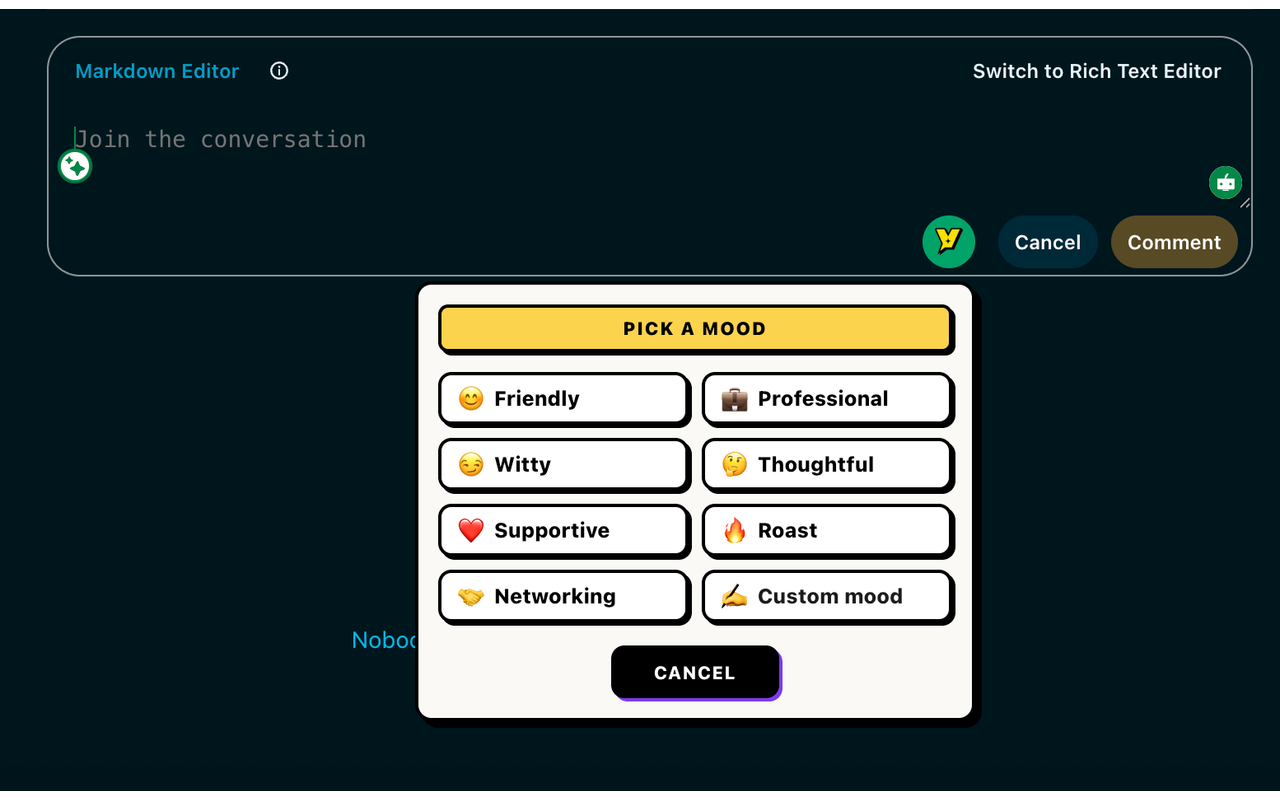 Human-reviewed drafting inside the social composer. No auto-posting.
 Illustrative example. Review the actual draft before posting.
We replaced recurring handoff meetings with clearer project briefs. How do you keep teams aligned?
A short brief helps when it names who decides, what’s still unknown, and where updates go. How do you handle decisions that change after the handoff?
Both plans include the eight standard moods, core drafting, history, and ratings.
| Feature | Free | Pro |
|---|---|---|
| Replies | 10 per day | Higher usage allowances |
| Personas / knowledge entries | 1 persona / 5 entries | Unlimited personas and entries |
| Post generations | 3 per day | Higher usage allowances |
| Chat requests / rewrites | 10 each per day | Higher usage allowances |
| Voice or import analyses | 3 per day | Higher usage allowances |
| Conversation length | 3 user messages per chat | No three-message limit |
| Fix My Reply | Included; uses reply allowance | Included; uses reply allowance |
| Three reply variations, Custom Mood, Brand Mode, DM drafts | Locked; opens pricing | Included; variations optional |
Here's how Voxily handles this workflow, and what you can check yourself in the extension.
LinkedIn replies need to sound useful, credible, and specific. Voxily drafts a first pass from the visible post context, your persona, and any saved knowledge you choose to keep in the product.
Use Voxily when you want to join a conversation without writing a generic AI comment. The goal is to make replies faster while keeping your point of view intact.
Voxily does not auto-post, scrape at scale, or send bulk messages on LinkedIn. It drafts text for a human to review and use responsibly.
Voxily drafts. You review, edit, and post the final text.
Use a normal LinkedIn reply or comment composer on a post where you want to contribute.
Pick a mood and let Voxily use the visible post context plus your selected persona and knowledge to draft a reply (three labeled angles when enabled on Pro).
Edit anything that sounds too generic, too promotional, or not specific enough. Switch moods in one click if the angle is off.
Use LinkedIn normally. You decide whether the final reply should be posted.
Quick answers before you install.
No. Voxily is a drafting assistant. It creates text suggestions, but you review and post manually.
No. Voxily Chat can help draft outreach DMs on Pro, but Voxily never sends DMs or comments automatically.
Voxily works inside the LinkedIn composer, uses the current post context, and can reuse your saved persona and knowledge (typed, pasted, or uploaded as PDF/DOC/DOCX/MD/TXT) without a separate prompt workflow.
Founders, creators, consultants, recruiters, and sellers who already spend time replying on LinkedIn and want faster first drafts.
Start with one real reply on X/Twitter, LinkedIn, or Reddit. Keep the draft only if it sounds like something you would actually post.
 Install free